The new version of LORGAR PLATFORM takes the gaming experience to the next level: chatting! It’s now easier to find players and connect with them, build communication within the community, and keep important gaming stats under control right in the middle of a match. Let’s queue up!
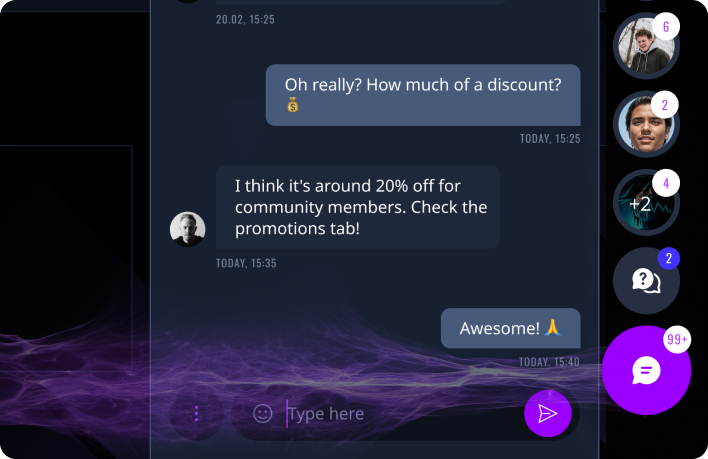
Community Chat [Beta]
We’re opening beta access to Community Chat – a new space for communication within the LORGAR community.
Members can now chat with each other, share their experience, look for teammates, team up for games, and stay connected with people who truly share their interests.
Finding the right players is now even easier: choose by region, device, game, and online status. To make this possible, we’ve added an interactive map and new filters that help you quickly find exactly the people you want to play and connect with.
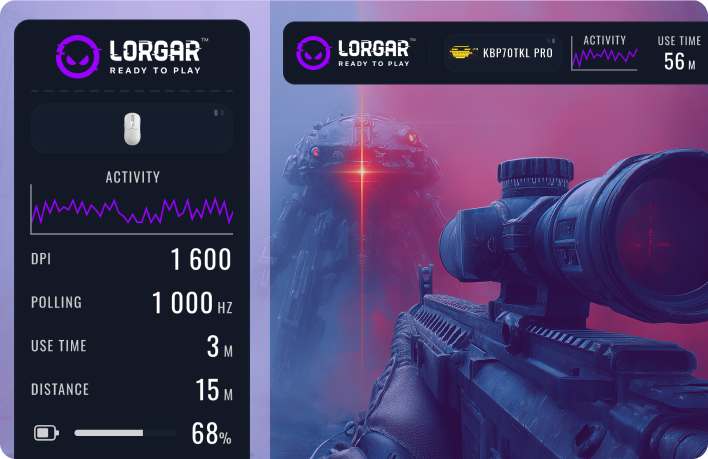
Device Gaming Stats Overlay During a Match
What matters most is now always right in front of you.
Activate the overlay when creating a gaming preset and track key mouse and keyboard metrics directly on your screen while you play
Flexible customization lets you display only the metrics that really matter to you, while also choosing the most convenient position for them on your screen. For the overlay to work properly, use Borderless Window mode.
What’s next
LORGAR PLATFORM is becoming more than just a platform — it’s a full-fledged gaming space where it’s easy to connect, find allies, and shape your gaming experience exactly the way you want it.
Talk to each other, play with each other, win with each other!